Create a Dataset
Overview
Datasets are sets of images and videos used to create models within the platform, users can upload multiple images to annotate or upload already generated datasets.
System Features
- 2D Synthetic data
- 3D Synthetic data
- Smart Annotation
- Augmentation
- Manual Annotation
- Video Annotation
- Polygon
- Box
- Share and Collaborate with other users
- Upload Datasets
- Used in Object Models
Guide to Creating a Dataset
- Navigate to the Chooch dashboard
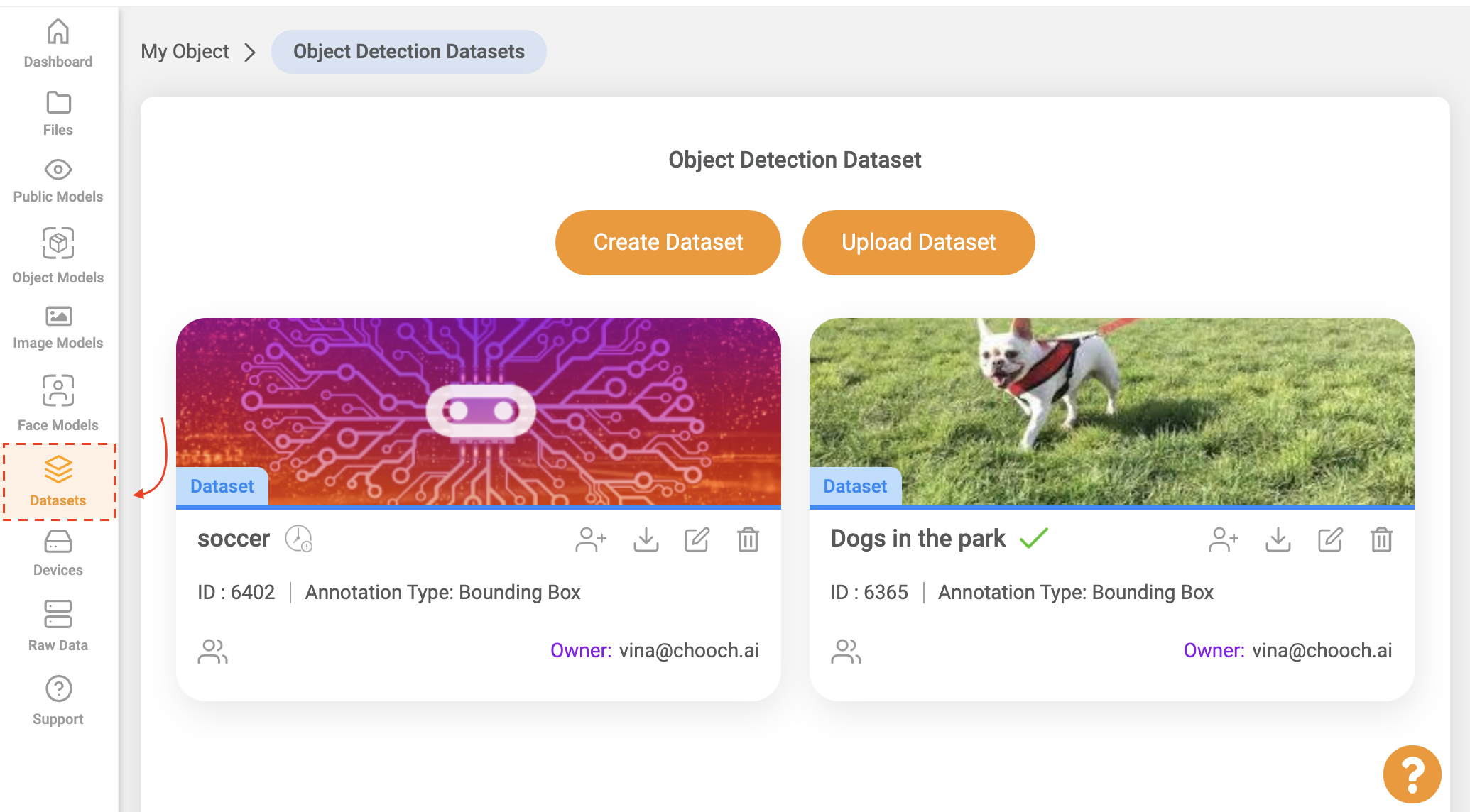
- On the left-hand side panel select Datasets > My Object Dataset
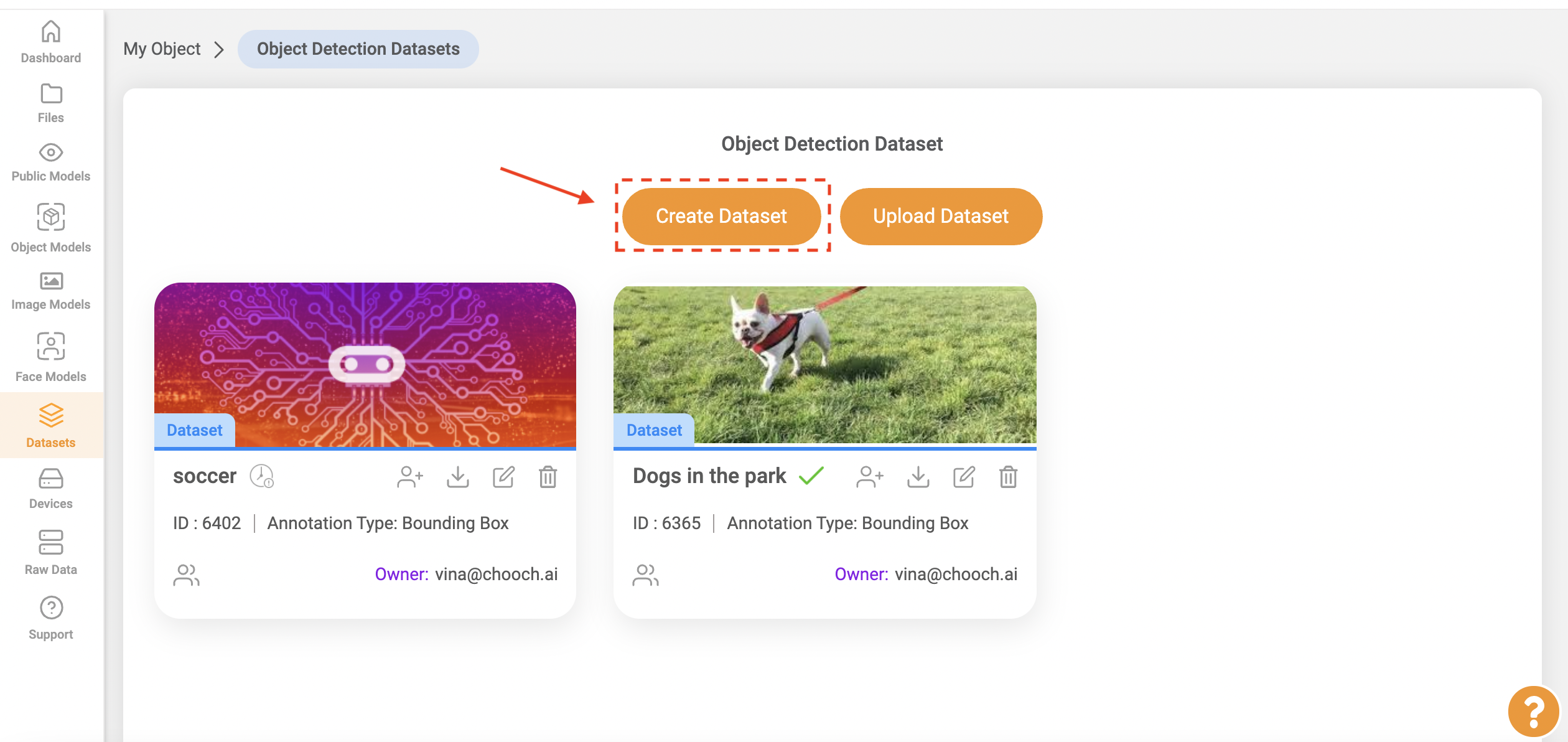
- Select Create Datasets
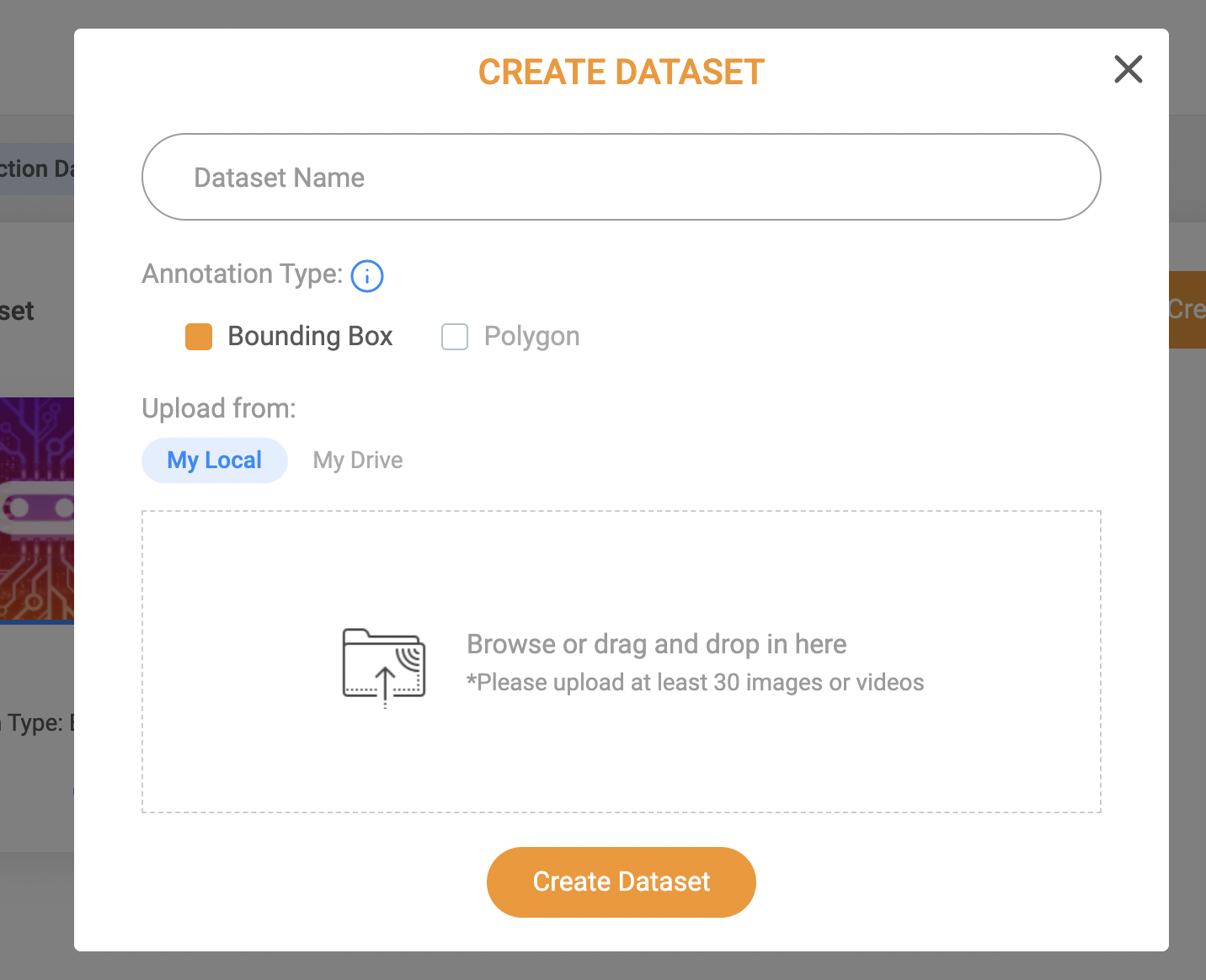
- Enter Dataset name > Select Annotation Type > Upload images.
- Once images are uploaded you may begin annotating the dataset
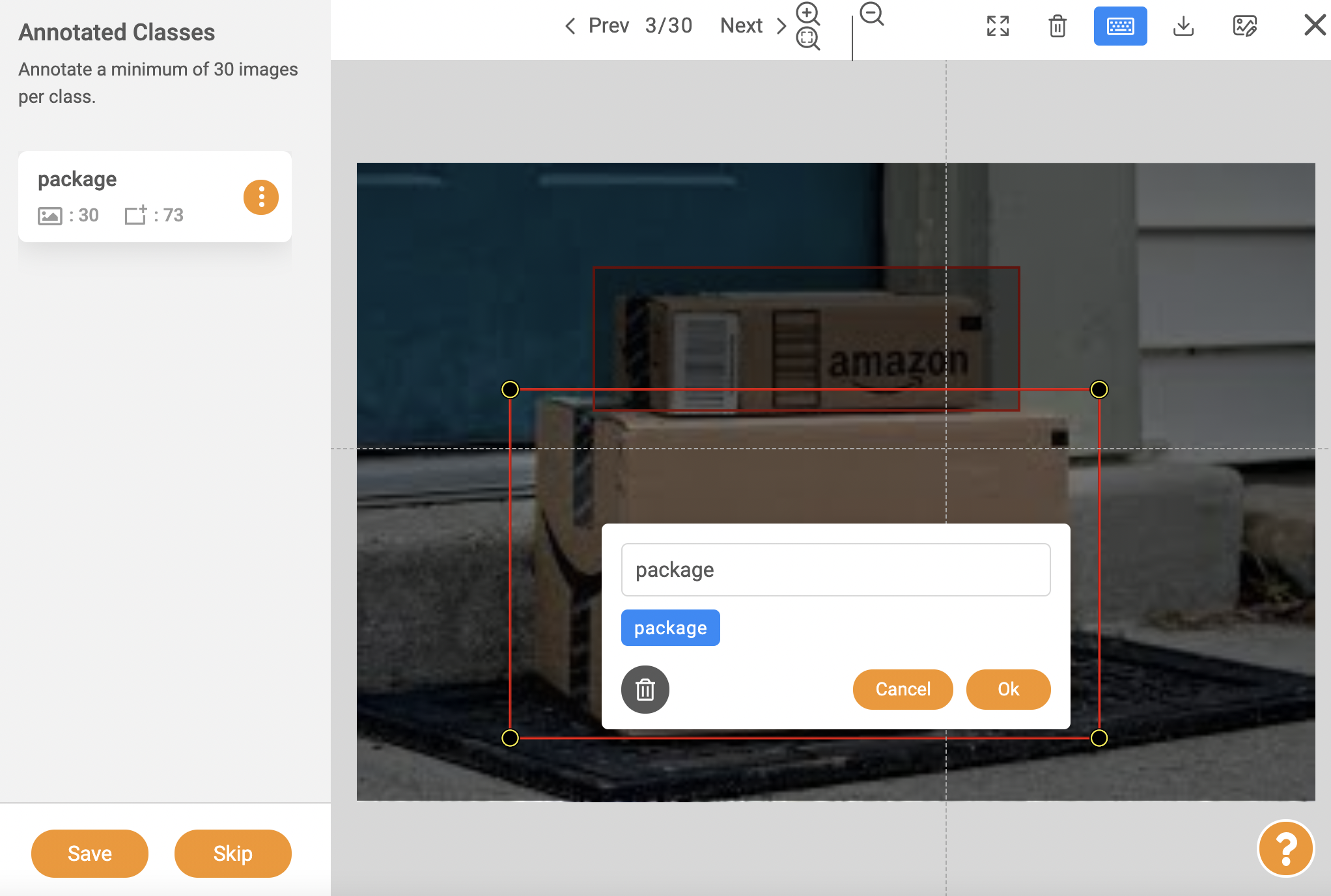
- Images with red exclamation marks are waiting to be annotated, Images with a blue checkmark √ indicate that an image has been annotated
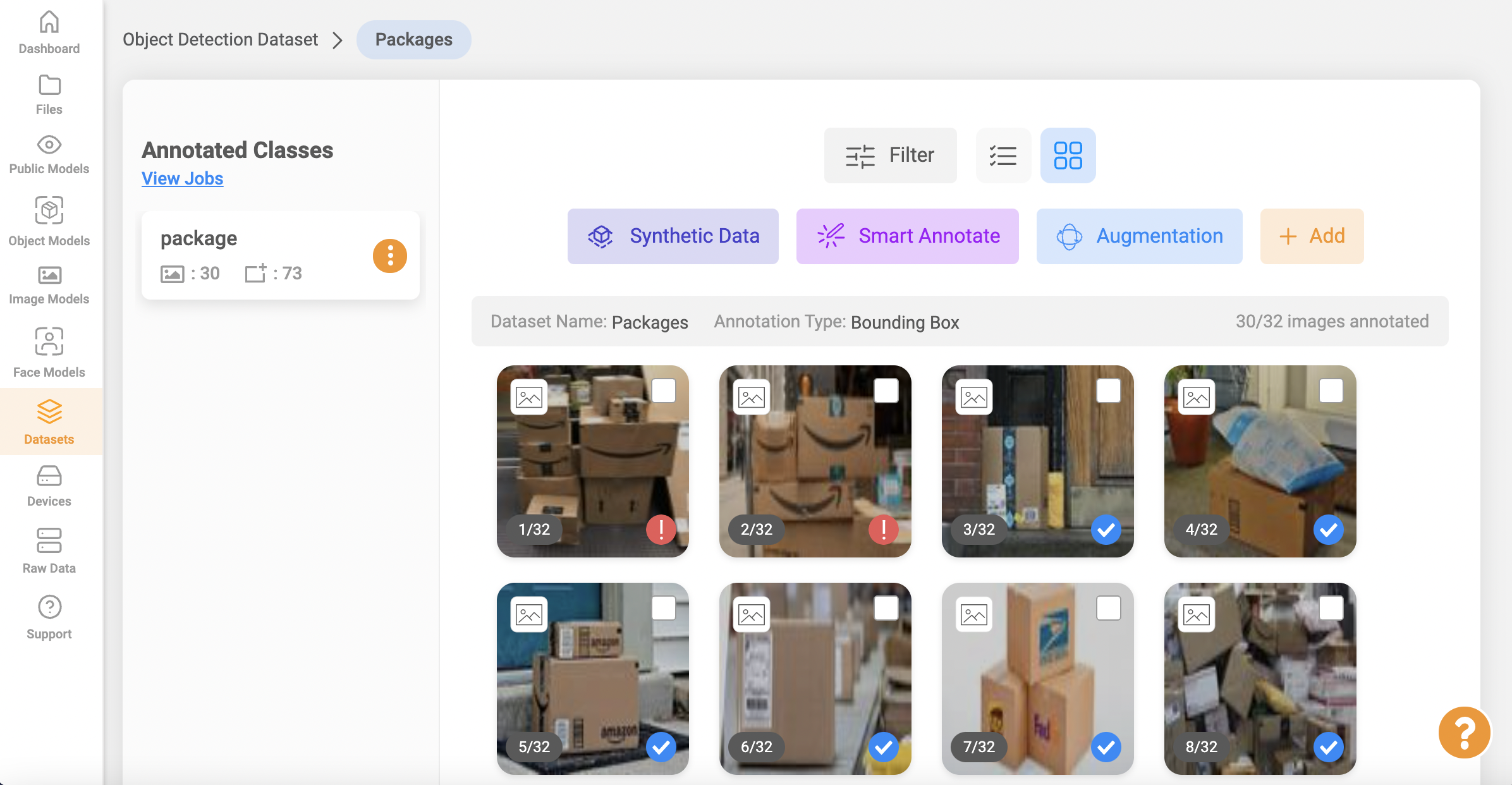
- Once the annotation is complete, your dataset is ready to be used in creating a model.
- See here to learn how to use the following dataset tools: 2D Synthetic Data, 3D Synthetic Data, Smart Annotation and Data Augmentation
Related Articles
ReadyNow Models
Overview Users have the ability to access Chooch's large number of pre-trained AI models allowing users to quickly apply these models for deployment. ReadyNow Models help users detect additional objects, faces, images, and text within a dataset, ...Image Models
Overview Image models can detect images of a desert to a forest or sunny weather to cloudy weather, Image models offer users the ability to analyze elements within an image to discern the overall context, thus providing a powerful insight for users. ...Chooch Inference Engine Setup Guide
Edge Device Setup Guide v5/v6 Chooch Inference Engine Setup Guide Within the dashboard, this guide will walk you through the steps to set up an edge device running Chooch AI models for NVDIA GPU’s and Intel Processors. The guide will explain how to ...Inference Engine installation guide
Inference Engine installation guide Within the dashboard, this guide will walk you through the steps to set up an edge device running Chooch models for CPU, NVDIA GPU, and Jetson Orin. The guide will explain how to install the Chooch Inference Engine ...Chooch API
Guide to calling the Chooch computer vision API Accelerate your computer vision deployments by taking advantage of the Chooch computer vision API. This documentation provides insight into how to call the API, how to provide an image for analysis, and ...